FD Suite

From accounting data to a report you can stand behind.

FD Suite turns a client's accounts into management reports, forecasts and plans. You decide what goes in, and you check it before it goes out.

Real insight

Say what the numbers mean.

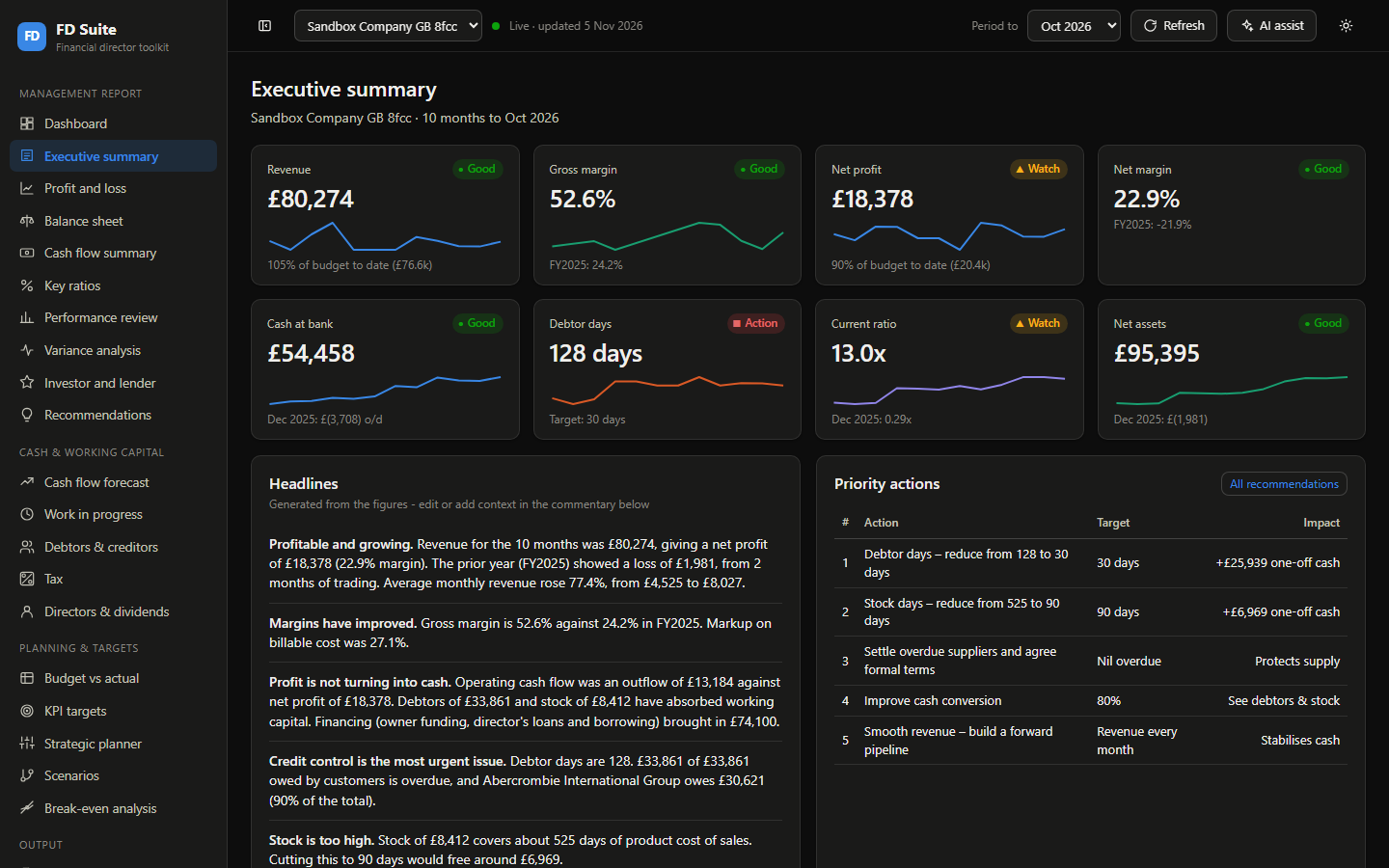
Each report explains what has happened and sets priority actions, with targets and the likely impact in pounds.

  • Dashboard and executive summary
  • Profit and loss, balance sheet and cash flow
  • Key ratios, performance and variance analysis
  • Recommendations you can add to
The executive summary page, with headline figures, written commentary and a table of priority actions.

Executive summary, shown with sample data.
Report pack

Hand over a proper document.

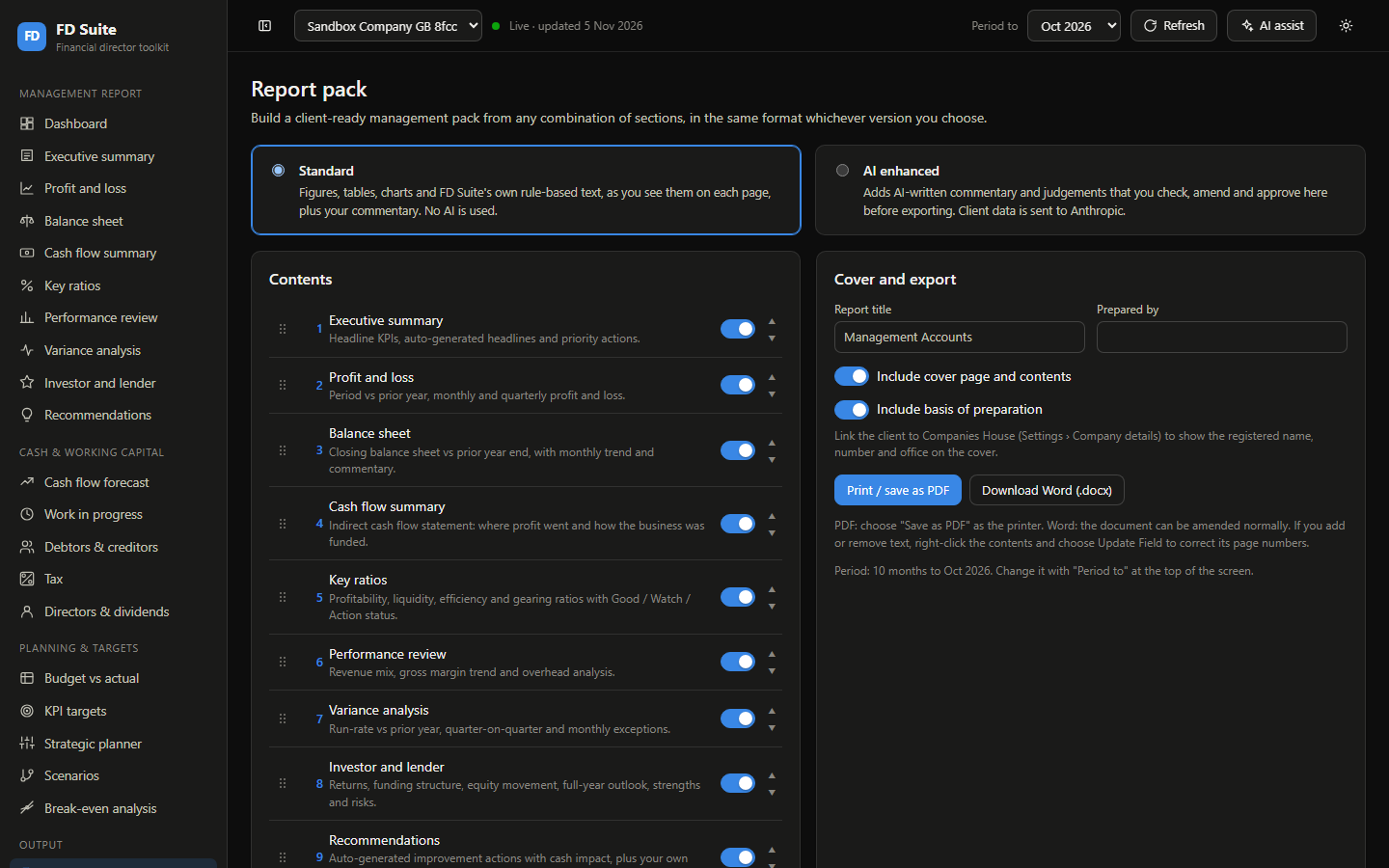
Choose the sections for each client, then export an A4 report with a cover and contents, as a PDF or an editable Word file.

The Standard version uses no AI. Figures, tables, charts and rule-based commentary come straight from the system, alongside your own notes.

The report pack page, with a choice of Standard or AI enhanced, a list of sections to switch on or off, and export buttons.

Report pack builder, shown with sample data.

Optional AI commentary

A first draft. Your name on the final word.

Switch on AI enhanced reports and FD Suite drafts commentary section by section. You edit and approve every section, and nothing can be exported until you have.

It also raises queries for you, such as bookkeeping points to check, which stay out of the client's report.

You stay in control

AI commentary is off until you turn it on and agree to client data being sent to the AI provider. If the figures change after you've approved a section, it needs checking again.

Cash and working capital

Show clients what's coming, not just what happened.

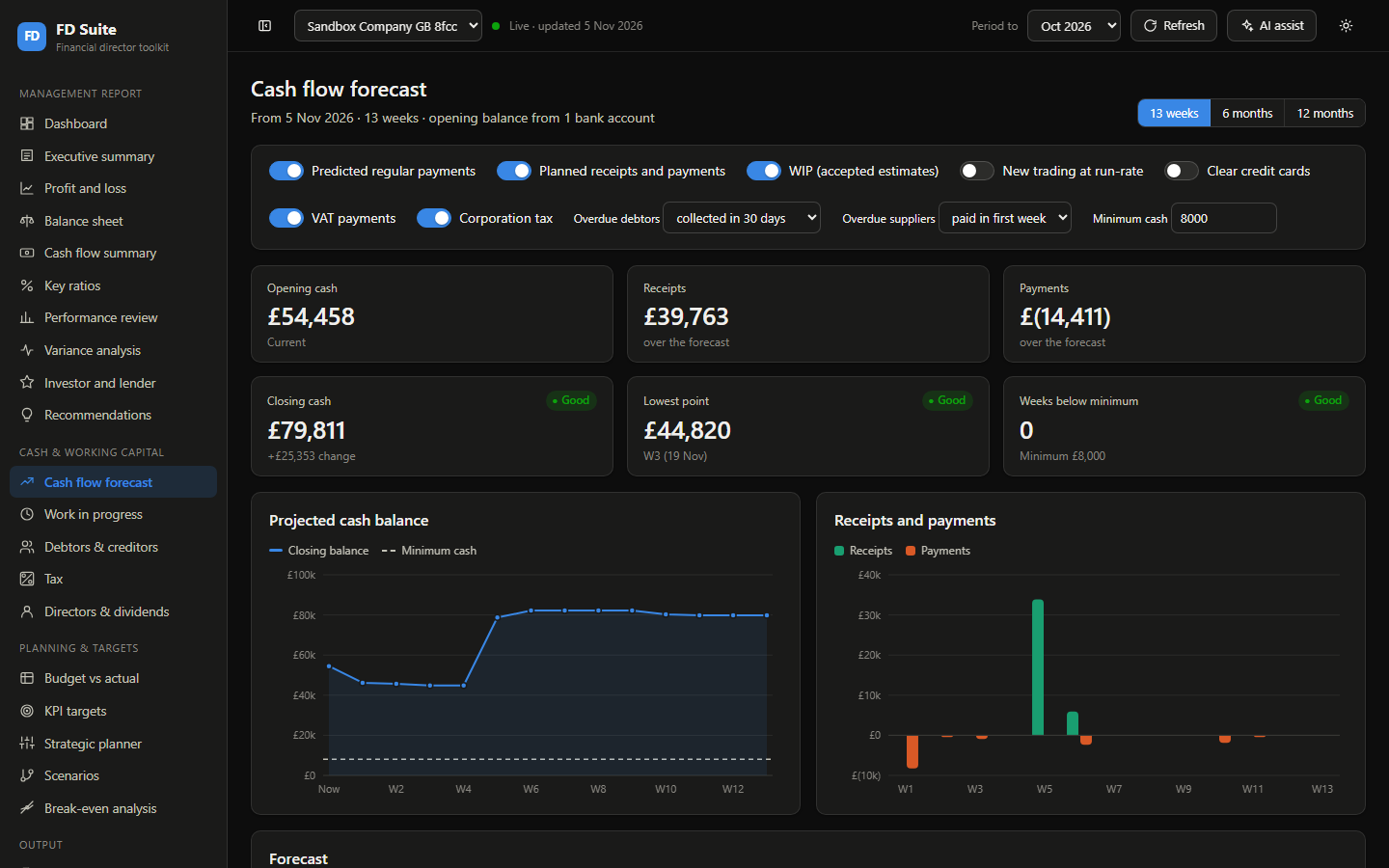
Forecast cash over 13 weeks, 6 months or 12 months, with planned receipts and payments, VAT and corporation tax included. Follow overdue debtors, creditors and work in progress alongside it.

The cash flow forecast page, with projected cash balance and weekly receipts and payments charts.

Cash flow forecast, shown with sample data.

Planning

For clients with growth in mind.

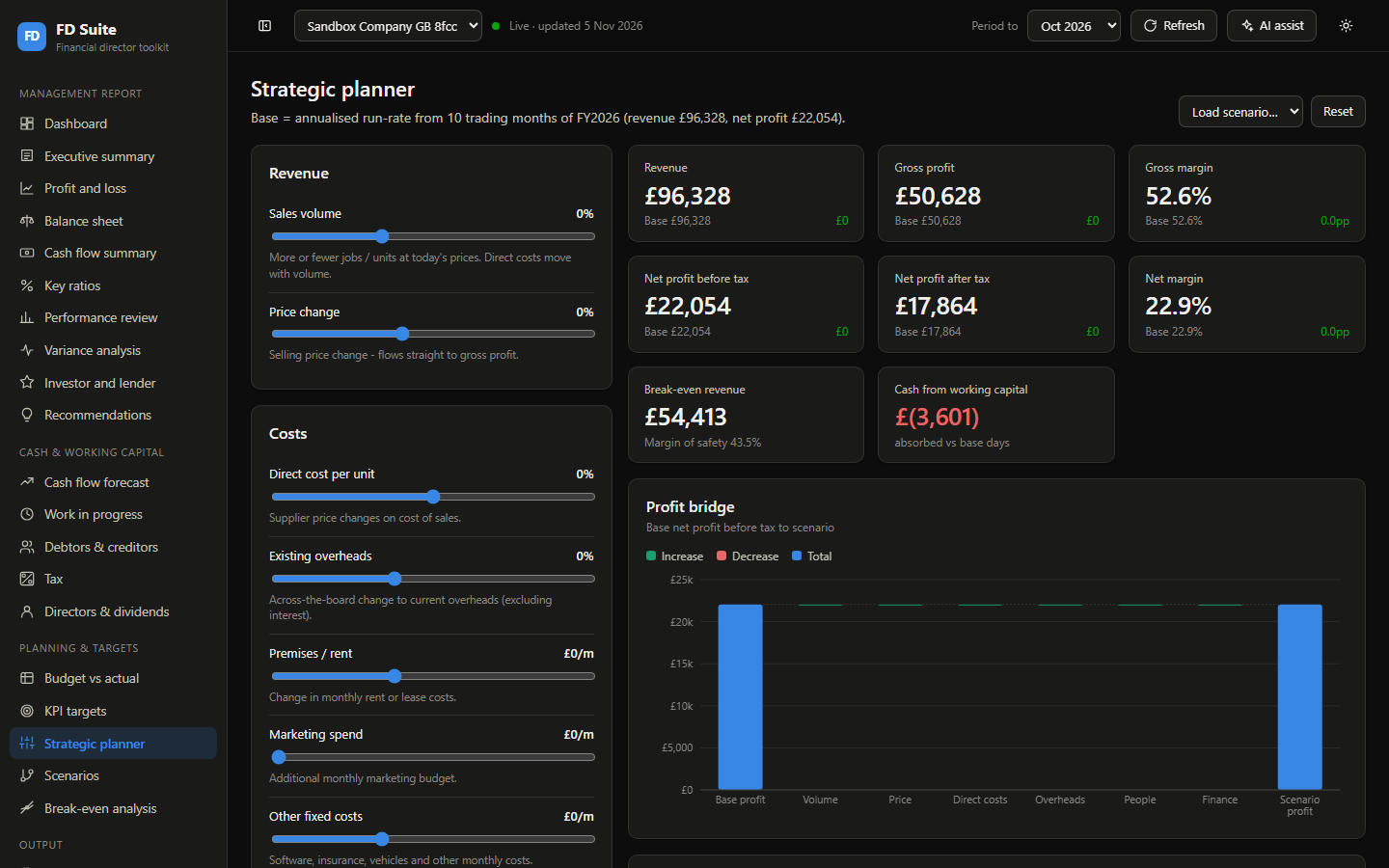
Test a price rise, higher costs or more marketing and see the effect on profit straight away. Set budgets and KPI targets, compare scenarios and find the break-even point.

The strategic planner page, with sliders for revenue and costs, resulting figures and a profit bridge chart.

Strategic planner, shown with sample data.

Built for the UK

The UK detail is already there.

VAT and corporation tax

VAT periods and due dates, plus corporation tax estimates using HMRC rates. These are planning estimates, and they feed the cash forecast.

Directors and dividends

Warnings on overdrawn director's loan accounts, possible section 455 tax, and dividends above estimated reserves.

Companies House

Official company details on your reports, with accounts and confirmation statement deadlines on the dashboard.

FD Suite never changes your client's books.

It reads from QuickBooks and nothing flows back. Budgets, planned items and overrides all stay in FD Suite. FD Suite currently connects live to QuickBooks only, so tell us which software you use when you book your demo.